
Most quiz funnels work fine with a single product feed. But sometimes you need multiple feeds—maybe you're managing different stores, product categories, or regional inventories.
When do you need multiple feeds?
- Multi-store setup: Separate feeds per store location or brand
- Category segmentation: Different feeds for distinct product categories
- Regional inventory: Separate feeds for different countries/warehouses
- Testing: A/B test different product assortments
Setting up multiple feeds
- Go to Product Feeds in your bluebarry dashboard
- Click Add Feed to create additional feeds
- Configure each feed with its unique URL or upload method
- Give each feed a clear, descriptive name (e.g., "EU Store - Electronics")

Using feeds in your quiz funnel
Once you have multiple feeds set up, you can choose which feed(s) to use in each quiz funnel:
- Open your quiz funnel in the editor
- Go to Settings → Product Feed
- Select the feed(s) you want to use
- Save your changes
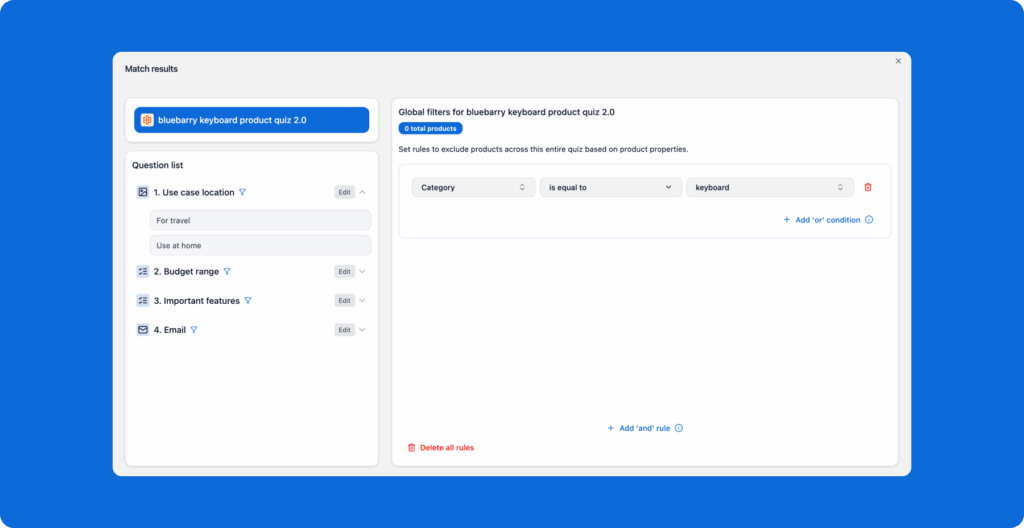
Using global filters with multiple feeds
Global filters work the same way with multiple feeds—they apply to whichever feed(s) are connected to your quiz funnel. This lets you further narrow down results within each feed.
💡 Pro tip
Use consistent column names across all your feeds. This makes it easier to set up filters and ensures your quiz logic works seamlessly regardless of which feed is active.