
Your product feed is what makes our quiz magic happen. Without good data, we can't create killer recommendations or smart questions for your quiz.
Here's how to set it up right:
Step 1: Get the basics right
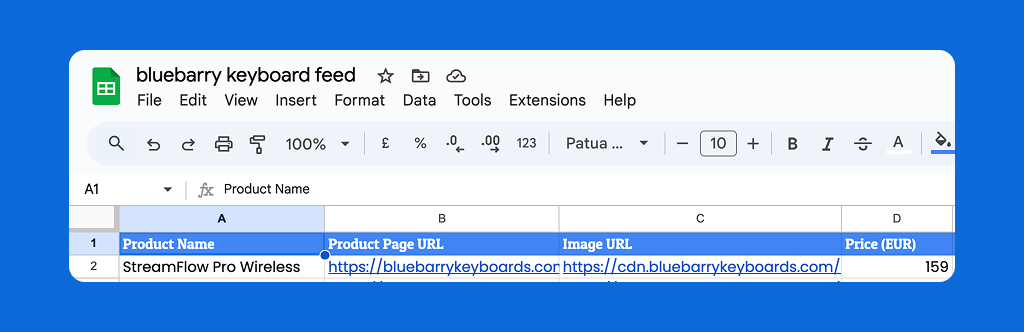
These four fields are non-negotiable:
Product Name:
Your actual product titles (e.g., "Carry-On Suitcase").
Product Page URL:
The exact link to your product page (e.g., https://example.com/carry-on-suitcase)
Image URL:
The direct link to the main product image (e.g., https://images.example.com/carry-on.jpg).
Product Price:
A numeric column (e.g., 300.00) that shows the product's cost.
Formatting matters (seriously)
We automatically detect if your columns are numbers or text. But you need to help us out.
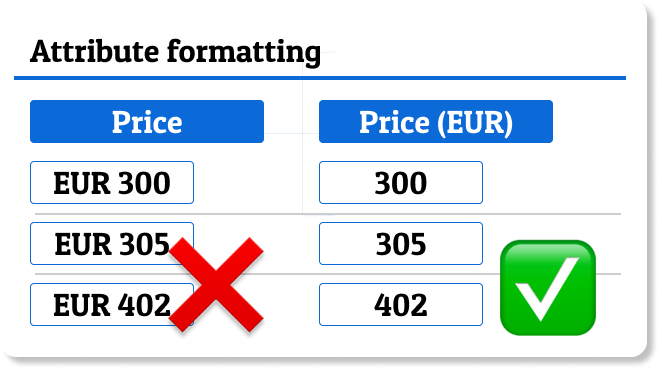
Price columns should look like this:
- Column name: "Price (EUR)"
- Column values:
300.00(numbers only)
Not like this:
- Column values:
€300.00or$300
Clean numbers = smart filtering. Messy data = broken quizzes.
Step 2: Include Product Attributes for filtering
Product attributes help us filter your products based on quiz answers. Think:
- Size
- Volume
- Color
- Category
They make sure bluebarry knows how to filter your products properly based on answers.
Example:
We are going to use the example of a product quiz for keyboards. We want to ask the following question:

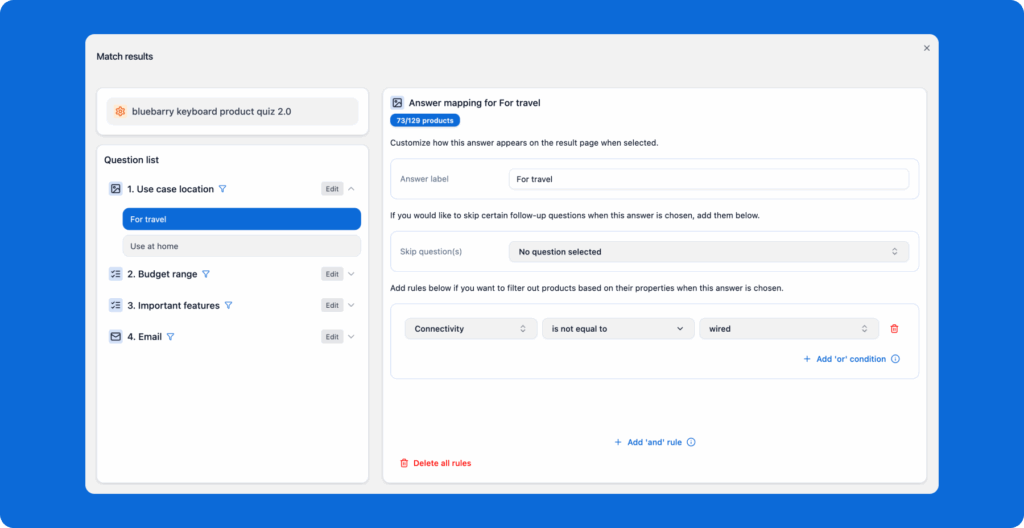
If "for remote work / travel" will be chosen, all wired keyboards should be excluded.
Therefore, the property 'connectivity' with values 'wired' or 'bluetooth' should be included in the product feed.
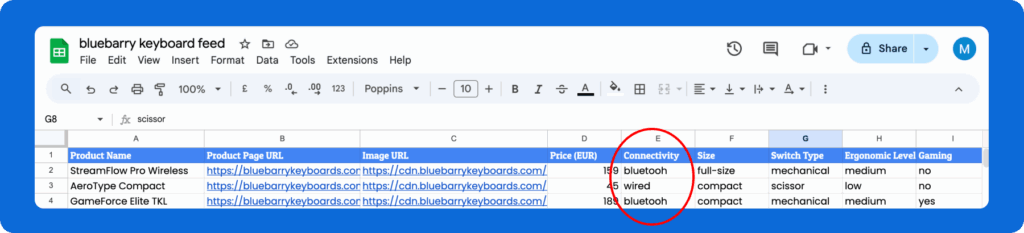
This will make it possible to add the filter to the quiz funnel in bluebarry.
Example feed
Check this link for an example product feed.
💡 Pro-tip: Making attributes "sellable" through data enrichment
Add attributes that match how your customers actually talk about your products. A "Weekend Trip" attribute beats generic "Size: Medium" every time.