
Want to embed your quiz funnel directly into a landing page or dedicated section of your site? Here's how to create a seamless, inline quiz experience.
Setting up for embedding
First, configure your quiz funnel for embedded display:
- Open your quiz funnel in the bluebarry editor
- Go to Settings → Display
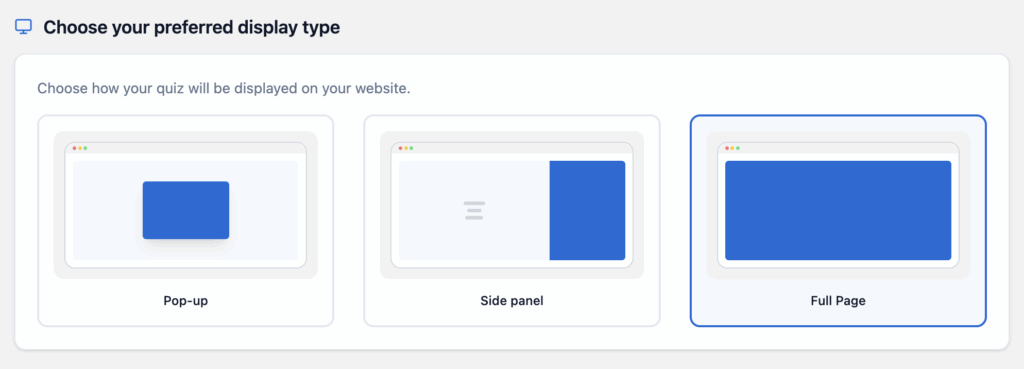
- Select Full page display type
- Save your changes
Getting your embed code
- Click the Share button in your quiz funnel
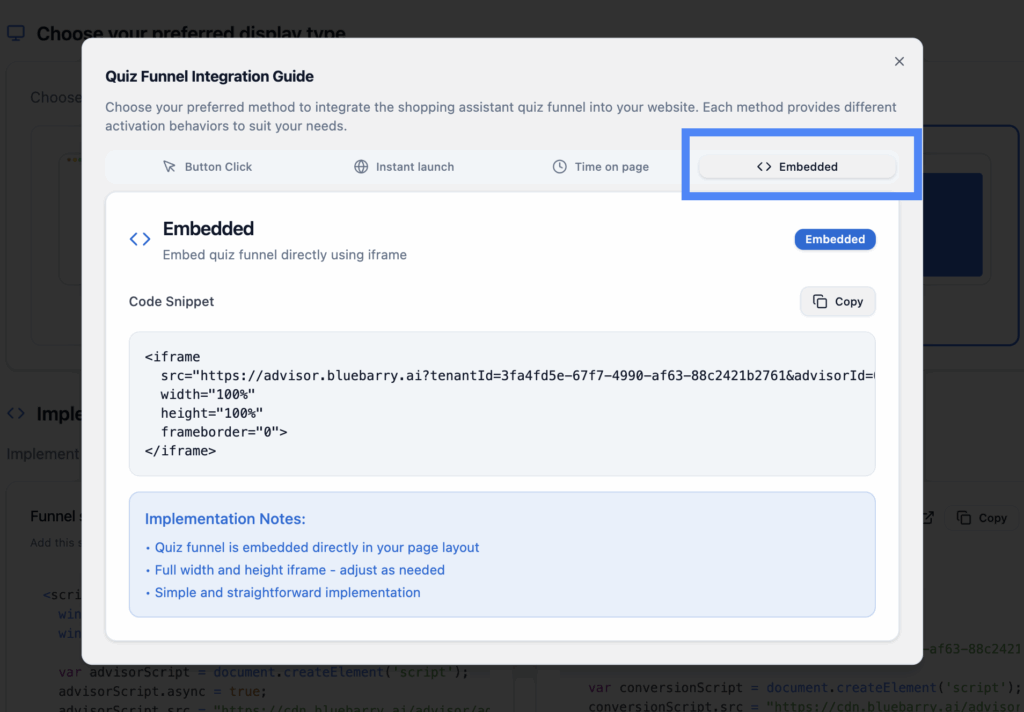
- Select Embed
- Copy the embed code provided
Embed options
Option A: Section embed
Embed the quiz as a section within an existing page. The quiz will appear inline with your other content, taking up a defined area of the page.
Best for: Product finder sections, "Need help choosing?" blocks, category pages.
Option B: Full page embed
Create a dedicated page where the quiz takes up the entire viewport. Visitors get an immersive, focused quiz experience.
Best for: Standalone landing pages, campaign destinations, onboarding flows.
Implementation
Paste the embed code into your page where you want the quiz to appear:
- WordPress: Use a Custom HTML block
- Shopify: Edit your theme and add the code to a section or page template
- Generic HTML: Paste directly into your page's HTML
💡 Best practices
- Give the quiz enough vertical space—don't cram it into a tiny container
- Test on mobile devices to ensure the embedded quiz is responsive
- Consider the page context—make sure the quiz feels natural where it's placed
- Add a clear headline above the embed explaining what the quiz does